2016年4月7日 星期四

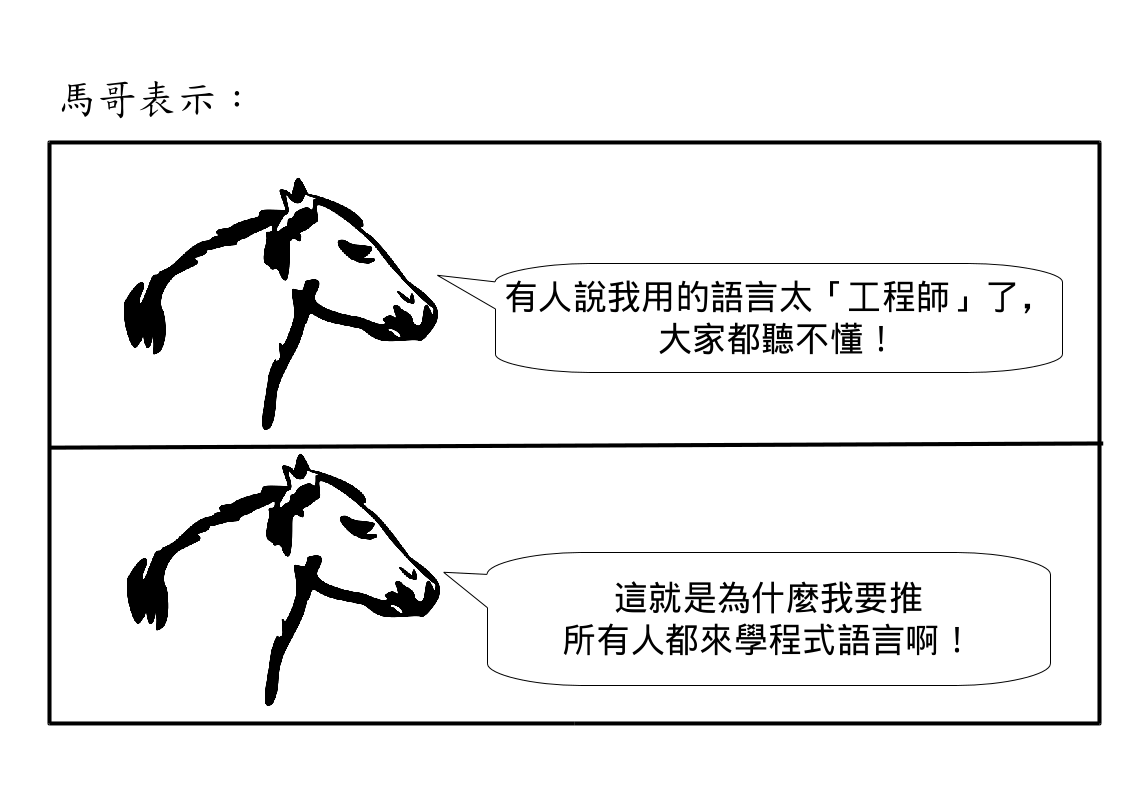
為什麼要學習程式語言?


說真的,檯面上那麼多人喊得那麼大聲,我覺得我來推正當性比其他檯面上的人都高多了...


2016年4月5日 星期二

ezgo13 (LXDE) develop note

從 Original Lubuntu 16.04 開始:


  • locale-gen zh_TW.UTF-8
  • locale-gen zh_TW
  • /etc/apt/source.list
  • /etc/resolv.conf
  • recv-keys 4CD565B5 from pgp.mit.edu
  • add ezgo.list to /etc/apt/source.list.d
  • echo "blueman hold" | dpkg --set-selections  # 因為在 chroot 環境下無法 reload dbus 所以會更新失敗
  • apt-get install vim vim-runtime vim-gtk vim-scripts # 純粹拿個人喜好強加在使用者身上,爽
  • apt-get dist-upgrade  #記得先 mount proc, sys, dev/pts
  • change ubiquity-slideshow-ezgo
  • apt-get install oxoffice5 oxoffice5-writer oxoffice5-calc oxoffice5-impress oxoffice5-math oxoffice5-base oxoffice5-zh-tw
  • apt-get install firefox-locale-zh-hant language-pack-zh-hant language-pack-gnome-zh-hant 
  • apt-get install fcitx-googlepinyin fcitx-chewing fcitx-libs-qt5 fcitx-libs-qt fcitx-table-array30 fcitx-table-array30-big fcitx-table-cangjie3 fcitx-table-cangjie5 fcitx-table-boshiamy fcitx-tools fcitx-ui-light
  • apt-get install ezgo-lxde ezgo-menu  # pidgin.desktop 會造成錯誤


2016年4月4日 星期一

ezgo13 KDE develop note


來寫點開發紀錄吧


  1. 之前 ezgo12 用 Kubuntu 14.04,legacy mode 開機畫面只要改 isolinux/gfxboot.cfg 把 hidden-timeout=2 拿掉,加上 foreground=0xFFFFFF 即可。但是用 16.04 做 ezgo13 時,同樣的方法卻失效了。後來發現是要改 isolinux/bootlogo。它本身是一個 cpio 起來的壓縮檔,所以要

    mkdir aa
    cd aa
    cpio -i < ../bootlogo


    解開來之後,之前在 isolinux 下修改的通通變成在這裡改(例如 lang, splash.pcx 等檔案),然後

    find . | cpio -o -H bin > ../bootlogo


    壓回去,結果就成功了。
  2. Plasma5 的 config 不再集中在 /usr/share/kde4,而是通通分散放到 /usr/share 下。家目錄中的 config 也是,之前都集中在 ~/.kde 或 ~/.kde4,現在則是通通放到 ~/.config 下。照開發團隊說法這樣「才符合標準」,但這樣要整個 reset 回一個 clean 的 KDE Plasma 5 環境變得非常麻煩...
  3. Plasma 5 似乎不吃 XDG_MENU_CONFIG,所以要手動改 menu  :(  把 ezgo-applications.menu 連到 kf5-applications.menu
  4. 安裝 ezgo-kde5 之後,還要修改以下地方:
    1. /usr/share/plasma/desktoptheme/*/metadata.desktop ,把下面 [Wallpaper] section 的 defaultWallpaperTheme 改成 ezgo,大小改成 1920x1080
    2. /usr/share/plasma/layout-templates/org.kde.plasma.desktop.defaultPanel/contents/layout.js 把它用 /usr/share/ezgo/ezgo-kde5/defaultPanel.layout.js 覆蓋掉。注意不能用 symlink。
    3. /usr/share/plasma/look-and-feel/org.kde.breeze.desktop/contents/components/artwork/background.png 把它用 /usr/share/ezgo/ezgo-artwork/default-dm/1920x1080.png 換掉。
    4. /usr/share/plasma/shells/org.kde.plasma.desktop/contents/layout.js 把它用 /usr/share/ezgo/ezgo-kde5/desktop.layout.js 覆蓋掉。注意不能用 symlink。
  5. 安裝 oxoffice 的指令:

    sudo apt-get install oxoffice5 oxoffice5-writer oxoffice5-calc oxoffice5-impress oxoffice5-math oxoffice5-base oxoffice5-zh-tw

2015年11月3日 星期二

Taiwan Launched a 3-year Project In Order To Adopt Open Document Format


Although the central government in Taiwan had worked out a national file format standard named CNS-15251 in 2009, they didn't push and force government bodies to use it. Nevertheless, since UK government selected Open Document Format to meet user's needs in July 2014, the National Information and Communications Initiative Committee (NICI), a working group composed with many departments under Executive Yuan in Taiwan, started a series of meetings and made a resolution to include ODF into the national standard (named ODF-CNS15251, which is actually ODF 1.2) and actively migrate this national standard in all government units.

In NICI's resolution, they defined "open files" as "files which don't need to rely on a certain software to open." They also mentioned that all the government bodies should use ODF-CNS15251 for editable document file, and PDF or HTML for uneditable document file.

Therefore, National Development Council (NDC), a first level unit under Executive Yuan, launched a 3-year project and split the migration into three stages:

Stage 1: Before the bottom of 2015, all the downloadable files on web sites which belongs to any government unit, should use ODF-CNS15251 or PDF file format. All the old files on web sites should be converted to ODF-CNS15251 or PDF too.

Stage 2: Before the bottom of 2016, all the files provided and exchanged between government bodies, or between government units and non-government units or enterprises should use ODF-CNS15251 or PDF file format.

Stage 3: Since 2017, ask all the government bodies to use software which can create and edit ODF-CNS15251 and can be downloaded freely forever.

This project was launched in August 2015. NDC entrusted the Software Liberty Association Taiwan (SLAT), which is an NPO targeting on promoting free and open source software, and Gjun information Co., Ltd., which is a software cram school, to execute this project. In this project, 13 explanation sessions are held in different counties and cities of Taiwan, including outside island counties like Penghu, Kinmen and Lienchiang (aka Matzu). Lecturers and open source community members from SLAT are responsible to explain why and how to migrate to ODF. Besides, many real training courses are held too. The FOSS experts from SLAT are responsible for planning the course guidelines and examples in these training courses, and training lecturers in Gjun. Then lecturers of Gjun will be responsible all the training courses.

Besides NDC's project, there have been several successful stories migrating OpenOffice and LibreOffices all over Taiwan. Coretronics is a successful example for big enterprises to migrate LibreOffices. In the project of Coretronics, OSS Integral Institution Company, which was founded by a senior open source community and is experted in Open Office and LibreOffice customization and service, is responsible for helping them since 2010. Fo-Guan-Shan, which is a very big Buddist group, also migrated to OpenOffice successfully in 2014. Eric Sun, the execute secretary of Open Source Software Application Consulting Center, which is a project under the Ministry of Education and executed by SLAT, helped Fo-Guan-Shan to migrate OpenOffice. Finally, in March 2015, Yi-Lan County government also launched a project to migrate from Microsoft Office to LibreOffice. This project is led by the Office of Information Administration, Planning Department in Yi-Lan County, and is executed by Sunjun Information Service Company, which was founded by many open source community members and experts. In LibreOffice Conference 2015, Franklin Weng, the President of Board of Directors in SLAT, shared the successful stories of Yi-Lan County and Coretronics in Migration track, also shared the status about the ODF migration in Taiwan.

SLAT will then cooperate with The Document Foundation, to help this migration project.
2015年10月28日 星期三

Yi-Lan County Announced That No More Microsoft Office Will Be Purchased


The above image is an official document from Yi-Lan County, Taiwan.  The subject of this document is to reiterate that all the users in Yi-Lan County, including teachers in schools, employees in the offices in all the villages and cities in Yi-Lan, and colleagues in Yi-Lan County Government, need to send documents in ODF or PDF format instead of Microsoft Office's format.  

Yi-Lan County Government also announced in this document that they will not buy and install Microsoft Office in newly purchased computers.  All the new computers need to install LibreOffice which can be downloaded in the inner file server in Yi-Lan County Government.


Besides Yi-Lan County, Yun-Lin County Government in Taiwan also took actions to warn those users who still upload or send out documents in OOXML or other non-ODF formats.  The red part of the above image said, "This attached file does not comply with the formal national standard format ODF-CNS15251" where ODF-CNS15251 is identical to ODF 1.2.

The above incidents show that Taiwan goes a bit further on the road to fully migration of ODF.  Let's applaud and cheer on them!

2015年10月3日 星期六

Libreoffice Conference 2015


今年三四月份,突然收到一封來自 The Document Foundation 的成員 Sophie 的來信,因為之前曾經在 Libreoffice wiki 上翻譯一些東西,因此邀請我參加今年的 Libreoffice Conference 中的 Community Day 討論一些與翻譯流程相關的事情。因為剛好我也正在執行宜蘭縣 Libreoffice 導入的專案,因此起了念頭,或許可以以此為題,投個稿去參加看看。因此在五月份,就投了一篇 paper,以宜蘭縣導入,還有晟鑫的中強光電導入成功案例為題。

眼看研討會時間越來越近,我的 proposal 卻始終石沉大海,想著或許沒被選上,但沒選上也該發封信通知吧!於是再發信問了 Sophie,得到的答案卻是他們沒收到我的 proposal。她請我立刻再轉發一次,我找出五月份寄的信給她,告訴她我五月份就提了。

很快的,她表示 TDF 對我的議題有興趣,因此會啟動「特別程序」盡快通過我的議程。果不其然,不到兩天的時間,我就收到錄取通知與確定贊助,準備前往丹麥。

在這段期間,國發會也啟動了推動 ODF 相關的專案,也因此這次的 Libreoffice Conference 我除了上台發表我的講題之外,更肩負了橋接國際社群與台灣政府推動相關單位的任務。因此在出發前,也抓住幾次機會與國發會的長官們溝通,並詢問他們想瞭解的事項。

這次參加研討會有幾個主要的收穫:

  1. 瞭解各國社群參與的狀況:

    第一天的 Community Day 中,讓在場所有人吃驚的是斯里蘭卡。他們在 2011 年舉辦了一個翻譯馬拉松,27 小時的時間,總共有超過 70 個人參與,翻了幾萬個條目。不過其他的國家,主要翻譯者仍然是少數。

    不過,比起 KDE 來,Libreoffice 在亞洲有較多的國家參與。這次參加 Libreoffice Conference 的亞洲國家的朋友,除了我以外,有來自日本、越南、印度、斯里蘭卡等國家。

    另外,實際參與到 Libreoffice 開發,The Document Foundation 運作的人,仍然是以歐美為主,CJK 的開發者極少,也因此在 Libreoffice 中對 CJK 語系的一些支援問題,例如這次日本社群的小笠原德彥所提出的直書問題,就一直未完全解決。不過小笠原仍然表示,有許多直書的問題,靠著台灣來的 Mark Hung 所提出的許多 patch 都已解決,讓他十分感激。因此,關於這些中日韓文的問題,仍然要靠我們自己。這也是我這次去的「橋接」任務之一,希望能由台灣政府出一點力,支持在地社群解決中文問題,連帶的 CJK 都可以受惠。
  2. 瞭解各國政府推動與參與的狀況

    因為參與了國發會推動 ODF 的專案,這次我在主講時,也順道提到了台灣的狀況。當我表示 ODF 已經在台灣成為國家標準,並成為政府文件交換的標準格式之後,底下響起了一片掌聲!後來我跟在荷蘭政府推動的朋友聊天,他表示雖然荷蘭政府以 ODF 為文件標準格式的新聞已經發出,但是做的根本還沒有台灣這麼多。因此我們也可以知道,在推動 ODF 做國家標準這件事,目前只有英國與台灣,台灣仍然屬於領先群。
  3. 一些重要事項的討論

    我參加的議程以觀察各國家在地化的狀況為主。不過,也在 Community Day 還有一些議程中一起討論到了 Libreoffice 說明檔的問題。Libreoffice 從 OpenOffice 分家之後,說明檔一直未做大幅修改,導致目前的說明檔與現有的軟體介面、功能等嚴重脫節。會中討論了一些改進的做法。此外,marketing 這件事也是他們十分重視的,特別是積極推動國家導入,與 marketing 息息相關,因此我也提出申請加入 marketing team,希望能進一步積極協助台灣推動。
  4. 其他有趣的議程

    這次有一個非常有趣的議程。今年八月微軟發新聞聲稱義大利的 Pasero 在導入 OpenOffice 四年後,回到微軟的懷抱重新改用 Office 365,因為使用 Openoffice 「實際上成本更高」。根據 Italo,TDF 中負責 marketing 的人,也是義大利社群這次主導義大利國防部導入的人的說法,實際上只是幾個人,佔總數 0.0002% 的人改用,而且微軟估算 Openoffice 成本的方法非常荒謬(「估計」每個人每天要多花 15 分鐘做格式轉換,然後把這 15 分鐘的成本乘上人數乘上四年的天數,得到三十萬歐元這個成本數字)。這個議程就是 Italo 分享這幾個月來,他們怎麼跟微軟打筆仗的故事。

這次覺得收穫挺豐碩的,也吃到了 Libreoffice 5 歲生日的蛋糕!不過接下來的挑戰也很大:如何讓台灣以政府之力推動 ODF 進一步推動使用 Libreoffice / OpenOffice 這件事不會再次不了了之,或變成悲劇一場。除了在台灣推動,也希望能積極促成台灣政府單位能有代表參與 TDF 或 ODF 的開發,形成一個真正健全的生態系。


2015年8月1日 星期六

Akademy 2015


今年是第二次參加 Akademy 了。雖然投的講題有被錄取,但最後 program schedule 上並沒有我,換句話說這次拿到贊助還不用上台說話。:-D

不過,這次旅程從一開始就不是很順利。先是出發前,筆電摔到地上螢幕破了!只好臨時借兒子的筆電來用。再來,從杜拜轉馬德里,要搭西班牙航空到拉科魯尼亞時,居然遇上座位超賣,上不了飛機!看著其他也上不了飛機的乘客在跟櫃台吵,但一點用也沒有,只好跟著其他三位也要參加 Akademy 然後也上不了機的社群朋友一起去重新劃位。西班牙航空幫我們重新劃了 Air Europe 的班機,並答應給我們補償,結果我們去 checkin,我又是候補!幸好在 Air Europe 地勤人員準備登機作業時,我去找他說明,他很快就給我候補到座位了,才順利結束這三十小時的旅程到了拉科魯尼亞。


最後終於順利候補到機位

這次在 Akademy 之前,先參加了 KDE e.V. General Assembly,也就是 KDE e.V. 的會員大會。會議中進行一些 Working Group 的年度報告,並選舉新的 Board of Director member。最後由一名巴西的教授 Sandro Andrade  當選。

而 Akademy 的議程,說實話今年的議程吸引我的並不多。"Teaching Free Software for Everybody" 是由一位西班牙的物理老師主講,不過內容反而是他寫的部落格,關於 Linux / FOSS 等等的,而不是我期望中的自由軟體融入教學。我後來問他是否有在物理課上使用,他表示有,舉了像 Step 等一兩個自由軟體。"Embracing Mobile" 則是 KDE Plasma 5 直接 port 到 Mobile device 上。現場有展示,跑起來還算順,不過在我看來則是 "Yet another mobile platform"。我在議程中舉手發問,問主講人跟 Firefox OS, Ubuntu one, 甚至 Android / iOS 相比有什麼優點,說實話他的回答我聽不太懂...


Teaching Free Software for Everybody

我比較關切的議題應該是 lightning talk 中的 "Qt's road to mobile domination",也就是去年所提的 Qt on Android / iOS,經過一年後,似乎又更成熟了一點。


Qt's road to mobile domination


第二天的 keynote 是重頭戲:Evolving KDE,也就是之前做過調查,對於大家參與 KDE 事務的意願,可能的問題等等。調查顯示,user vs developer 的矛盾在 KDE 中還是存在的。大家少參與的一個重要因素是認為自己不會寫程式。可見這種誤解不是在台灣才有。


在這個 session 中,KDE e.V. 總裁 Lydia 根據調查的初步結果提出了一些可能的願景 (Visions)。結果接下來的講題很有趣,叫做 "I Have Visions!  Should I Go See A Doctor?"


這裡用 "Visions" 做雙關語 (除了「願景」之外也可以解釋成「幻覺」)

這個 Session 提出了所謂的「願景」常犯的錯誤。


Vague 是描述願景時的一大忌諱

有趣的是,在第二天的 BoF 議程中,大家進一步討論了 Evolving KDE 的一些問題。可是在討論的過程中,"Confuses what and how" 卻很明顯成了討論時的一大問題。前面一個多小時的時間,居然有一大半在討論 "Tools"... 直到我後來舉手問大家,我們在討論的是 "Vision", "Mission" 還是 "Goal" 之後,大家才比較聚焦一點。

第二天的 BoF 我提出了經由 trace KDE applications 來學習 Qt 的一個 course outline,有一些 developers 表示支持,包括剛選上 Board member 的巴西教授 Sandro Andrade 也私下來跟我討論一些可能的做法。此外還有一件有趣的事,就是我趁這個機會,幫 GCompris 的正體中文錄音!之後大家從 Google Play 下載的 GCompris,使用正體中文時可以下載聲音檔,裡面的聲音就是我的啦!(如果嫌我聲音太「俗」了,歡迎一起來幫忙錄!我已經知道怎麼處理了 :-D)

這次的 Akademy 我看到了國際自由軟體社群如何運作。隨著時代在改變,KDE 也面臨了不少問題與挑戰。目前觀察到的,KDE e.V. 核心團隊算是很積極在面對、思考與調整,Akademy 結束後隨之而來的就是發信做後續的事項說明與追蹤。或許還需要一些時間,也可能會跌跌撞撞個一陣子,但我還是覺得這次參與討論收穫不少,也繼續思考自己能在這裡扮演什麼樣的角色。